In closed testing on Android

A UK map that keeps working when the signal doesn’t.

UK Foraging Companion is an Android app for foragers, walkers and geocachers. Download a region once, then search, plan routes and save places anywhere, with no mobile signal.

Testers use the app free. It will be a paid app when released.

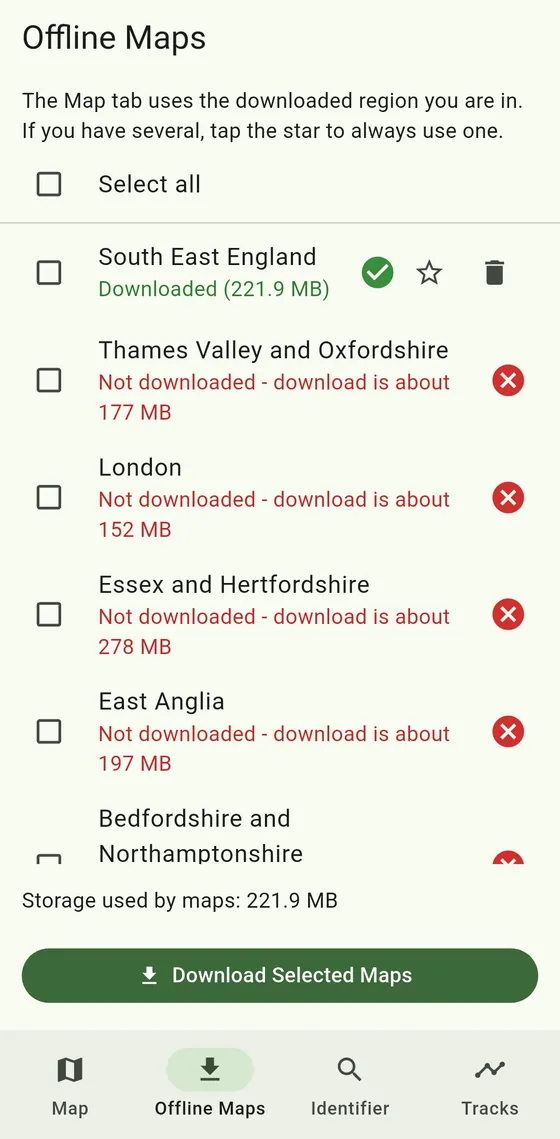
The Offline Maps screen listing UK regions with their download sizes
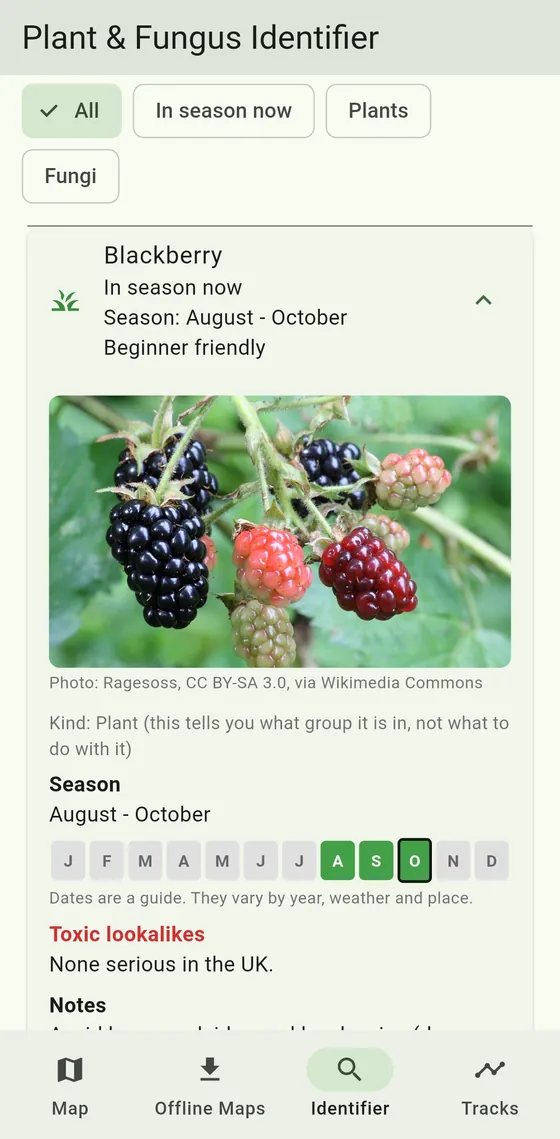
A guide entry for blackberry showing its photo, season months and toxic lookalikes
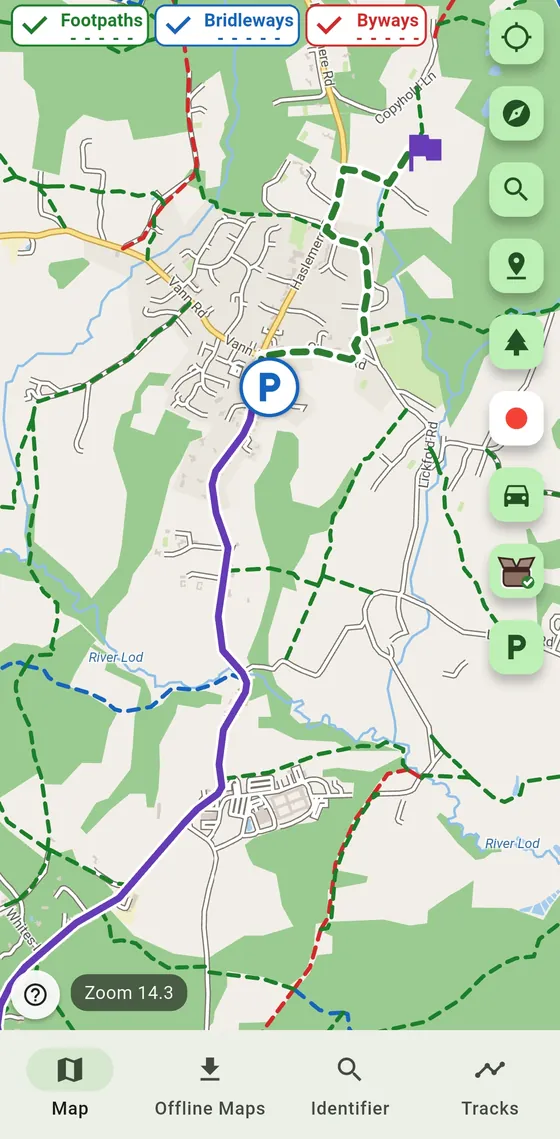
The offline map showing footpaths, bridleways and byways with a planned route

What it does

Built for people who spend time where the signal is poor: woods, fields, hills and coast paths.

The Offline Maps screen with South East England downloaded and other regions available

Download once, use anywhere

Choose your region and download it over Wi-Fi. After that, the map, search and routing all run on your phone, with no signal needed.

Each region shows its size before you download it, and the app shows how much space your maps are using.
A map with dashed footpaths and bridleways, a car park marker and a purple route line

Paths, not just roads

Public rights of way are drawn on the map and can be switched on and off. Zoom in to see them.

Footpaths Bridleways Byways

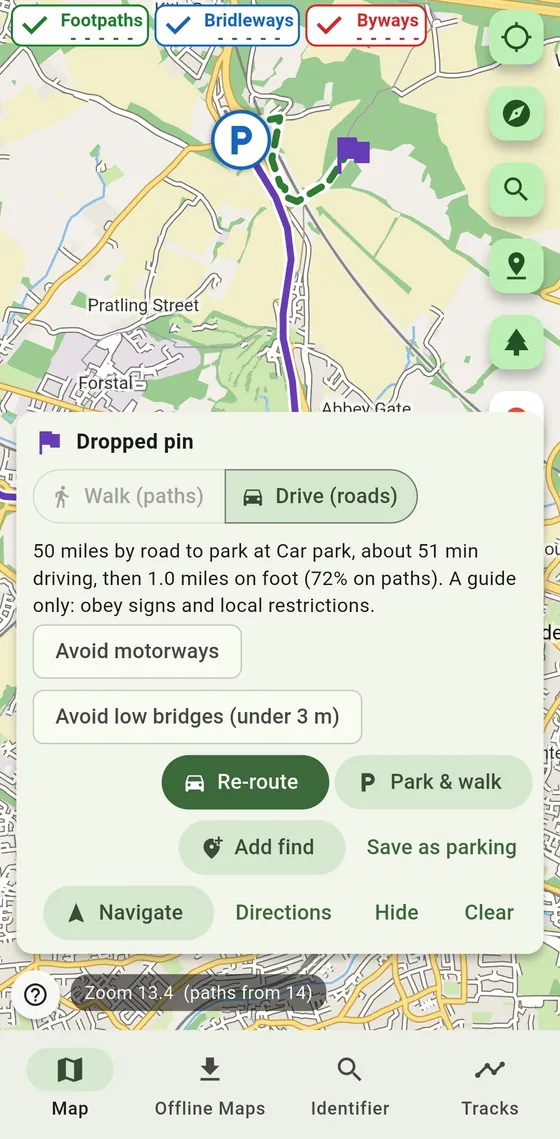
A dropped pin with a driving route to a car park, then a walking route on paths

Find a place, then find a way in

Search by postcode, street or place, or drop a pin anywhere on the map. Plan a route on foot or by car.

“Park and walk” finds a car park and shows the walk from it. Driving routes can avoid motorways and low bridges.

The plant and fungus guide showing blackberry with its season from August to October

A season guide in your pocket

Browse plants and fungi with photos, season dates and toxic lookalikes, and see what is usually in season right now.

The guide does not identify species for you. Use it to compare, and never eat anything you are not sure about.

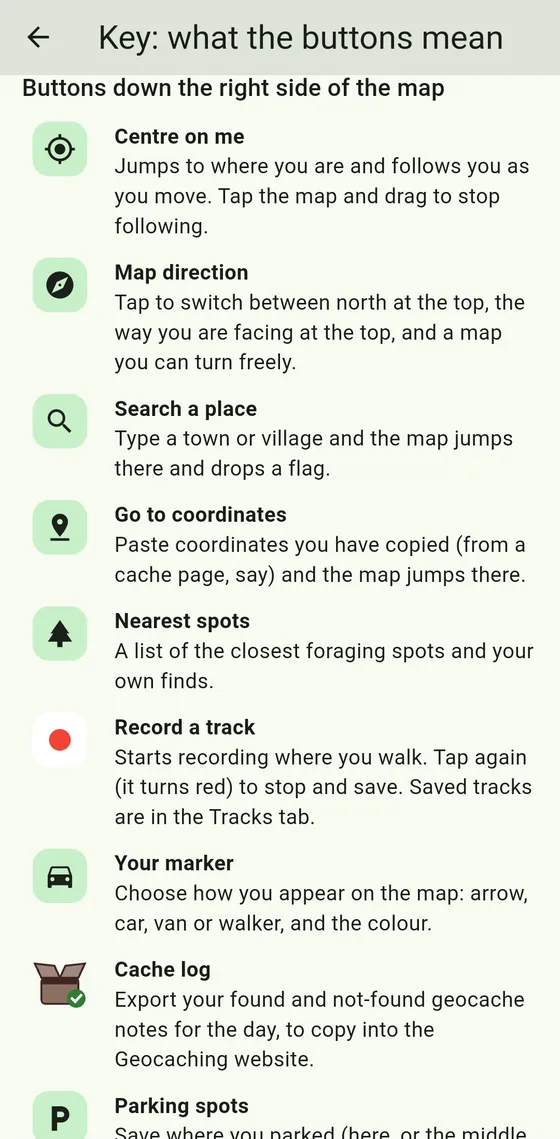
The in-app key explaining what each button on the map does

Every button explained

A plain-English key explains each button on the map, so nothing is a guess.

Record your walks, save parking spots and your own places, jump to coordinates, and keep a log of what you find.

Forage safely

Please read this before you pick anything.

  • Never eat anything unless you are 100% sure what it is. This app does not identify plants or fungi for you.
  • Pick only for your own use, never to sell.
  • Take only common, plentiful plants. Never uproot anything, and never pick protected species.
  • Ask the landowner, and obey any sign saying no picking. Do not forage in nature reserves or Sites of Special Scientific Interest.
  • Paths and spots in the app are a guide only and may be wrong or out of date. Check the signs on the ground.
  • If you feel unwell after eating something wild, call NHS 111, or 999 in an emergency.

Become a tester

UK Foraging Companion is in closed testing on Google Play. Google needs 12 people to use it for 14 days before it can be released. Testers are not charged and keep the app free.

  1. Join the tester group

    This is a Google Group. It tells Google who is allowed to test the app.

    Join the group
  2. Open the tester link on your phone

    Tap “Become a tester” on the page that opens. Android phones only.

    Open the tester link

    It can take a few hours after you join for the install link to start working. If you see an error page, try again later.

  3. Install from Google Play

    Once it works, tap the Google Play link on that same page to install the app. Please keep it installed until the test is finished.

Will I be charged?

No. Google Play may show a price, but as a tester you will see “Test card, always approves” and “This is a test order, you will not be charged”. Tap Buy to continue. Google may ask for your usual account password.

Why can’t I find it on Google Play?

Apps still in testing are hidden from the public Play Store until Google approves them for release. Only people who join through the tester link can see it, so searching will not find it.

How long should I keep it installed?

Until we say the test is finished. The 14 days only start once 12 testers have joined, so it may take 3 to 4 weeks. You are welcome to keep the app afterwards.

Do I need to give you my email address?

No. You join through Google, and we do not ask you for your email address or contact you with it.